


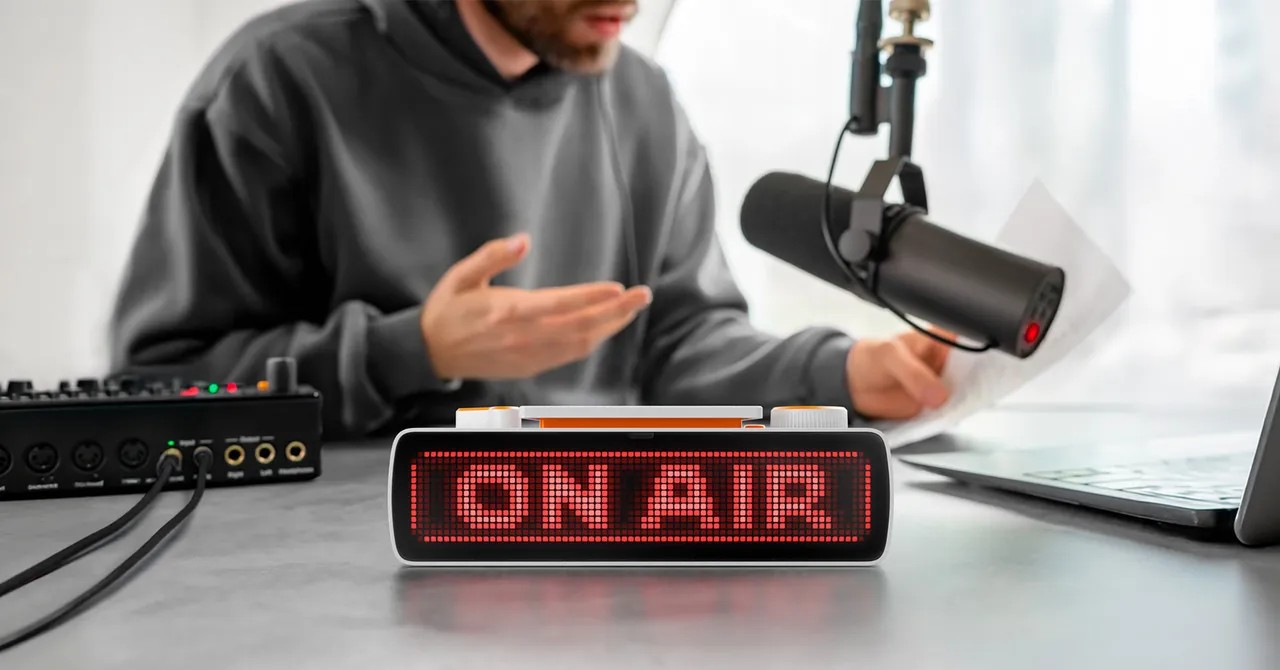
The Flipper Busy Bar costs $250. It is a physical rectangle that blares a bright red “BUSY” sign. You stick it on your desk. You mount it on your monitor. You even hang it outside your office if you’re feeling dramatic. The device promises to be both a focus timer and a clear indicator that you are not to be disturbed.
It’s made by Flipper Devices. You might know them for the Flipper Zero. That’s the handheld hacking tool with a Tamagotchi-like dolphin that monitored RFID frequencies. Governments got nervous. They temporarily banned it. But the Busy Bar is quieter. It’s meant for your desk, not for jamming frequencies. Announced in 2025 with sales starting in June, Flipper recently released its firmware as open source on GitHub.
Physical Buttons Over Software
The hardware is small. Roughly the size of a sunglasses case, it’s unobtrusive unless you want it to be. The default screen says “BUSY.” You can swap themes. “KEEP OUT.” “OUT TO LUNCH.” “LOW SOCIAL BATTERY.” There’s a digital clock too. That’s the only other default app.
The interaction is tactile. Physical switches on top let you toggle settings and change timer increments. There is a big Start/Pause switch. I find myself wanting to hit it more than necessary. Just to slap that big button. The clicks are satisfying. That physicality is the entire point.
Your phone already has focus modes. They’re built into Apple and Android. Software limits can only do so much to keep you from doom-scrolling. The Busy Bar tries to bridge that gap. It syncs to your devices via Bluetooth. You can block distracting apps. It’s Matter-certified. It can talk to your smart home. Trigger lights. Start music. Close the shades so you can zone in completely.
Smart Home Setup is a Hassle
The features are great if you bother to set them up. It takes a bit of work. You need a Matter-compatible hub. A Google Nest hub works. Anything that supports Home Assistant will do too. Downloading the app and linking the device is a prerequisite. You have to navigate automations to trigger the Busy mode.
I skipped the smart-home route. I just set up a simple automation: when my computer mic goes live, the Busy Bar switches modes. It warns everyone nearby I’m on a call. It’s specific. It works.
CEO Pavel Zhovner came up with the idea. He wanted a way to signal he was busy before people barged in. CEOs are the target audience. If your office is an open plan, results may vary. You can mount it outside, but in a crowded space, visibility is tricky. Headphones are often more effective.
Open Office Reality Check
I used the Flipper Busy Bar in WIRED ’s open office. Coworkers mostly ignored it. One guy joked that I was too busy for him. We talked about other things anyway. The device didn’t create a wall of silence. It created a neon sign that some people just walked past.
When I needed to record audio in the studio, I flipped it to “ON AIR.” I faced it toward the glass door. The screen is bright. The device is small. It wasn’t easy to spot from across the room. To be fair, there’s a huge ON AIR sign in the studio too. People still ignore that. I usually just leave the bar in clock mode on my desk.
The Pomodoro Gamification
The Busy Bar is better for keeping yourself busy. It defaults to the Pomodoro technique. Twenty-minute work segments. Five-minute breaks. A Dr. Mario-esque pill around the BUSY icon fills as time passes. It adds visual stimulus. It feels rewarding to fill the pill. You slap the timer. You hop up for a break.
I’m using it right now. One minute and 42 seconds left.
Verdict: Overengineered for Most
More features are coming. An expansive app library. Better modification of the open source OS. This will be the test. People will add what they want. Someone will definitely play Doom on it.
For now, the Flipper Busy Bar is an expensive focus tool. It syncs with a free app on your phone. Why pay $250 for a plastic rectangle when the software is free? It’s hard to recommend unless you’re that type of person. If you are, you’ll love it.
Hell, it’s the only reason I finished this article on time.
OK, almost on time.


